Learning Portal of BC:
Education for Generations
Digital Transformation
Design Thinking
Program Design
The strategy, research, and unique architectural model behind the Royal BC Museum's interactive online learning platform. Still in daily use more than ten years later.
Recommending a way through hundreds of thousands of digital records
In 2013 the Royal BC Museum wanted an online learning resource for K-12 students, educators, and adult learners.
The obvious answer to that is a catalogue. You sort the collection by subject, put the data behind a search box, and let teachers find what they need. My research at the time showed that many GLAM cultural institutions (Galleries, Libraries, Archives, and Museums) as well as learning sites all used some version of the catalogue for the collections and educational material. It's what the internet was built for and it's what most people expect. It's just not what teachers need.
The problem with a catalogue is that it assumes a visitor already knows what they are looking for. A teacher planning a unit on the Gold Rush does not need seven million records. They need one good path through them, chosen by somebody who knows the material and its connection to the relevant school curriculum for a particular grade.
My job was to work with the museum's learning staff and understand the needs of their partners in the Ministry of Education and Open School BC.
With objectives in hand, I conducted research from top institutions like the Rijksmuseum, MOMA, MET, and National Archives UK. What was I looking for? The best features, interactions, learning models, and ideas that could be adapted to the BC context. What was needed? Best in class technology that could be built locally and maintained inexpensively. I then created a strategy and planning package that would allow the museum to take the project to market and select a vendor to build it.
Pull together the best of the best
In 2013, playlists were still a relatively new concept. My insight was using that "mixed tape" concept to surface the expertise of museum staff and provide a curated path through the collection for K-12 students and educators. Here are the features I put together for the portal's strategic architecture, ones that could last the test of time.
Learning Activities
Featuring educational activities for individual or K-12 classroom settings. That includes inquiry-based learning, video tutorials and audio podcasts, interactive artifacts, downloadable worksheets, quizzes, and more.
Themes
Allows learners and educators to make connections between activities and resources based on themes specific to the organization. At RBCM, that ranged from archaeology, archives, and ethnology to birds and mammals, genealogy, and career profiles of staff members.
Timelines and Maps
For visual learners, the portal filters and displays activities and content based on time and location. Looking for podcasts on early 20th century history? Try the timeline. Looking for videos on Coast Salish textiles? The map will show you where these resources are located.
Playlists
This is where it all comes together. Playlists offer unique paths into the portal’s heart. Using a range of media, including audio-visual slideshows, museum and archive staff select and share their favourite learning activities, resources, and personal stories about their professional passions. Just like sharing a favourite playlist or mixed tape, the content was guaranteed to be relevant and engaging.
Educator Resources
Finally, in the backend, educators can quickly locate activities and resources to plan and enhance K-12 learning. My post launch plan recommended growing Professional Development opportunities and video conferencing sessions.
Strategy, Architecture, Technology & Timeline
The Learning Portal introduced a whole new way for students and teachers to interact with digital content.
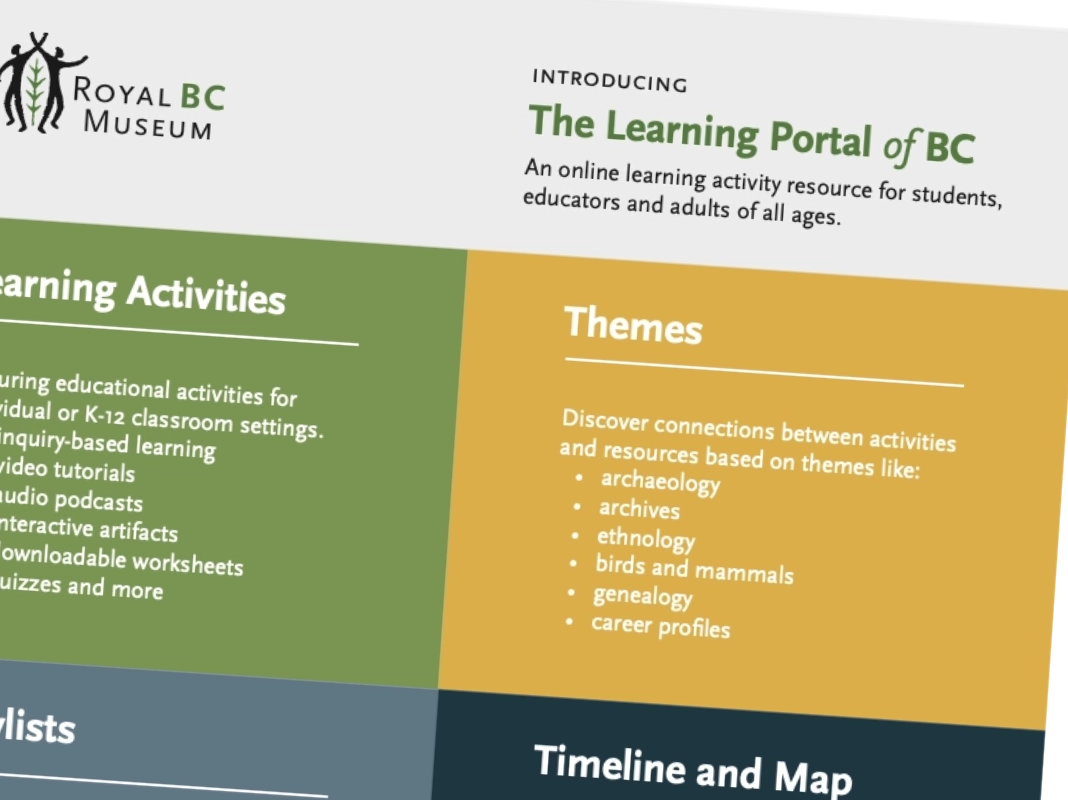
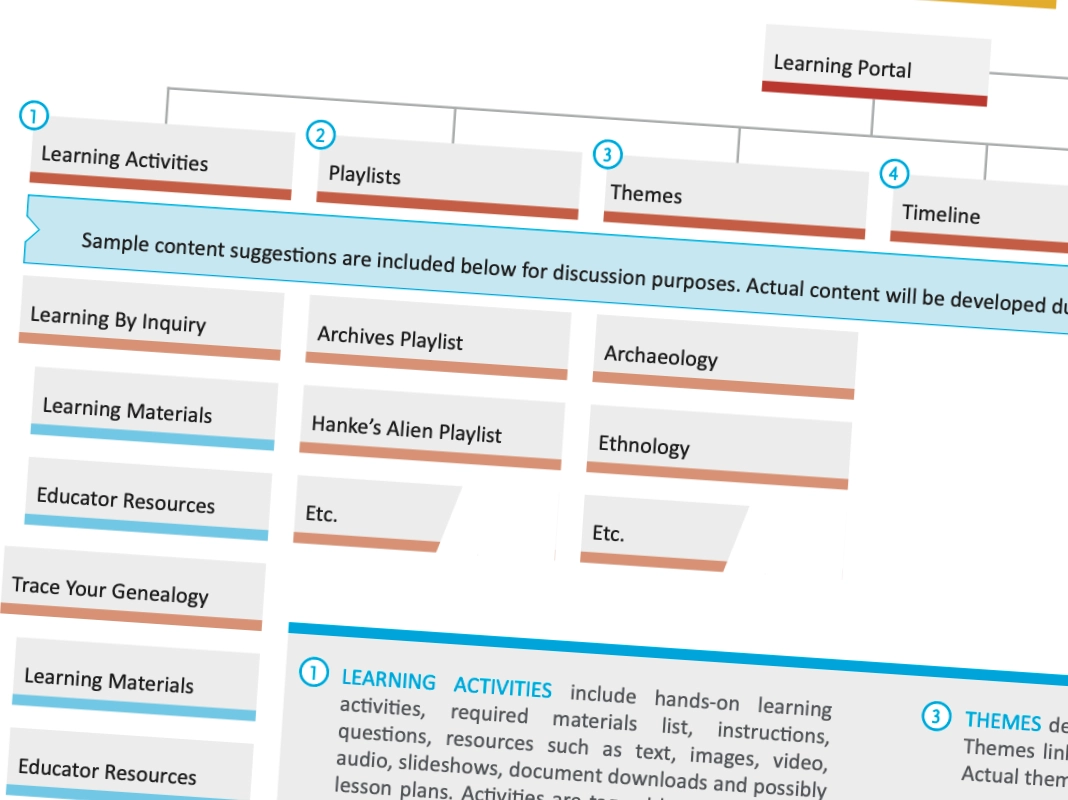
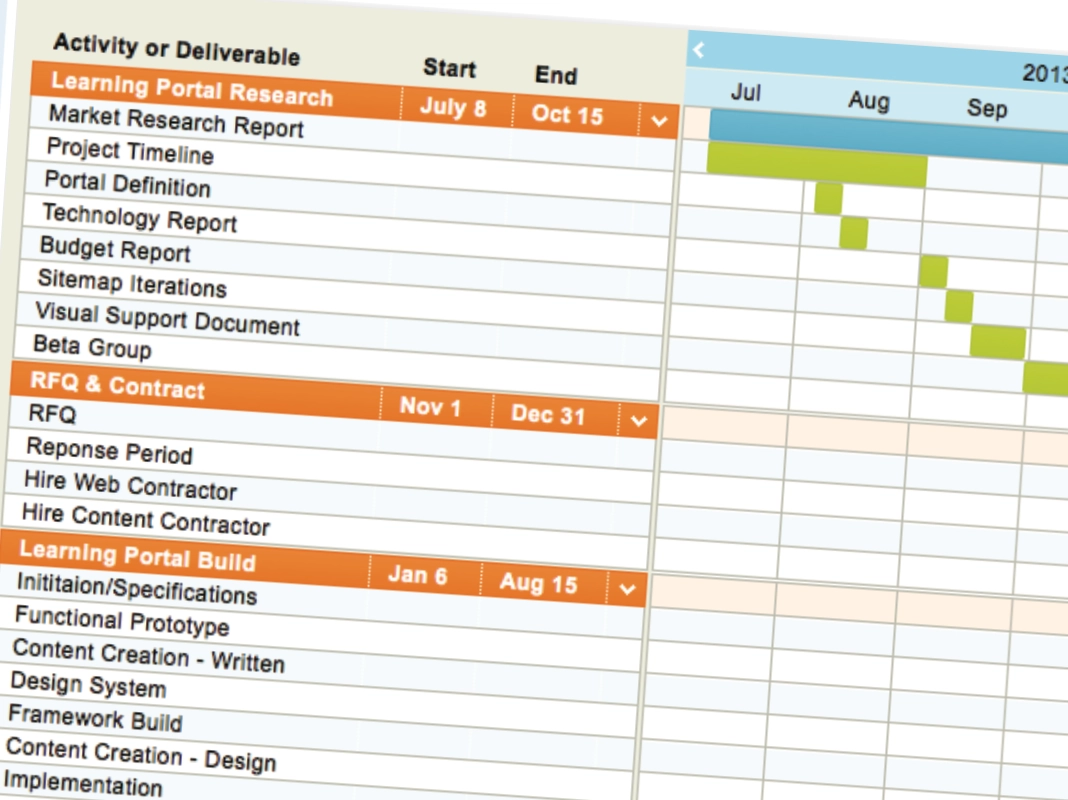
Work product included marketing material, site architecture, and project timeline.
Requirements. Procurement. Build.
Once executive signed off, the package was ready to market. This is where the design work turned into procurement work.
I wrote the requirements that went into the RFP. What the platform had to do. What a qualified vendor had to demonstrate. The criteria against which proposals would be scored. That document determined who was eligible to bid and who won. This makes it one of the highest-leverage deliverables anyone completes in a project like this. Getting it wrong means the right vendor delivers the wrong outcomes. Not the case here.
Once the vendor was selected, I worked with their team through their requirements phase to hand off the knowledge: research, architecture, and the reasoning behind decisions that would otherwise arrive as unexplained constraints.
The Live Result
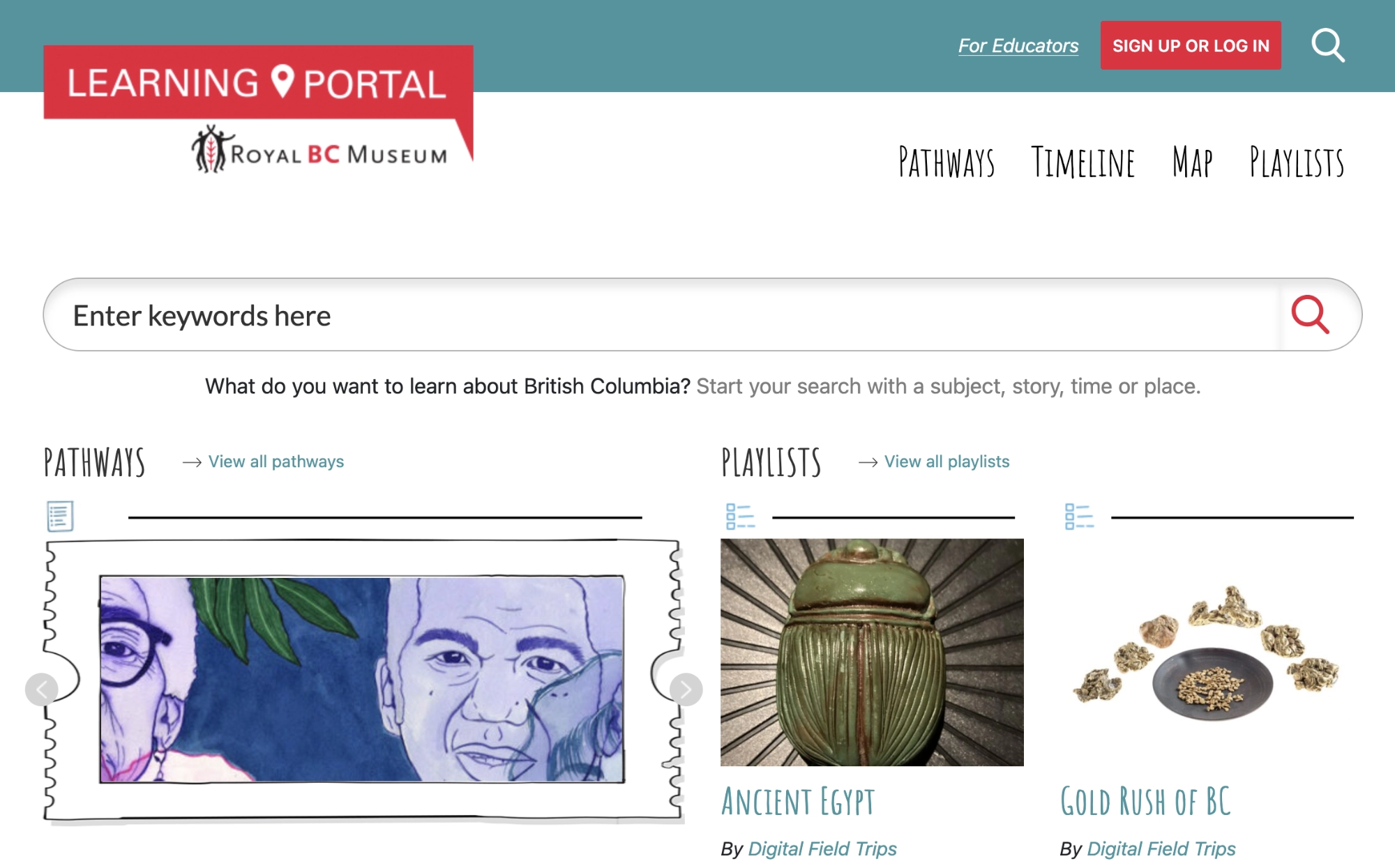
Screenshot of the Learning Portal of BC as it runs today.
Designed with, not just for
The Learning Portal was not a live product that educators were invited into after the fact. The BC Ministry of Education contributed input and support. Open School BC was a development partner. An advisory group of teachers, librarians, and educators from across BC reviewed early versions.
Designing to satisfy a regionally representative group, learners of all ages from across the province, a ministry curriculum, the museum's own collection priorities all at the same time is a genuine constraint. I saw it was an opportunity that shaped the architecture more than any single interest holder did.
- Peace
- Thompson-Nicola
- Kootenays
- Okanagan
- Vancouver Coast and Mountains
- Vancouver Island and the Gulf Islands
The unpredictable metric: How long will it last?
The Learning Portal launched and then just kept going.
It has been used by the museum's Learning department for more than ten years to deliver interactive experiences to K-12 students and provide material to educators.
The site structure has survived multiple subsequent museum website redesigns. For me, and for those who work with the site, that is all the evidence of value needed.
I've had the privilege of working on countless web and marketing projects in my career. Most begin to degrade the moment they launch. I'm proud of what was built on my architecture. More importantly, I'm proud of RBCM for continuing to budget this resource, and for the staff who have sustained the content and playlists all this time.
What Outlasts You
The best thing I can say about this project is that I have almost nothing to do with why it still works.
What Worked
- A pathway beats a catalogue. A few hundred thousand records is a lot to navigate. One curated route chosen by someone who knows the material is more effective.
- The staff are the underused asset. Exhibitions are just one way museums surface curatorial expertise, and they are resource intensive. Creating a playlist is quick and effective.
- The requirements document was the first quality test. Researching and preparing an informed strategy determines the outcome of a procurement process long before any proposal is written.
What It Taught
- Longevity is the best metric. Ten years of an institution renewing a budget is a verdict that the strategy and architecture were right.
- Reuse what survives contact with real users. The playlists concept worked so well at the museum, I trusted the same pattern for a health leadership learning site in 2016.
- Designing something you will not build yourself is a discipline. Every decision has to be legible enough for another team to execute from your artifacts. That's harder than building it yourself.